
TL;DR:
I was contacted by what appeared to be a legitimate non-profit client requesting WordPress support. After several normal emails, I was asked to log in via a fake WordPress login page designed to steal credentials. The scam relied on patience, trust-building, and realistic workflows, not urgency. Always verify login URLs, never send credentials, and treat unusual access requests as a red flag.
The Scam I Almost Fell For (And How to Spot It)
Even when you work in digital marketing every day, scams can still catch you off guard, especially when they’re well-written, patient, and carefully tailored to your industry.
For context, Marketing the Change has been operating for over a decade, working on hundreds of WordPress websites across a wide range of sectors. We’re trusted Jetpack partners, and a large part of our work involves security, malware cleanup, and recovering hacked WordPress sites. Spotting suspicious behaviour is genuinely part of our day-to-day wor,k which is exactly why this experience stood out.
Just before Christmas, I was contacted about some website work that, on the surface, looked completely legitimate. The emails were professional, the website looked real, and the request itself was something we deal with all the time.
It nearly worked.
Here’s what happened and what you can learn from it.
How It Started (Very Normally)
I received an email from someone introducing themselves as a marketer for a US-based non-profit organisation. They asked for help improving their website and shared:
- A real-looking website
- A Google Doc listing website tasks
- A believable story about firing a previous developer for overbilling
Nothing about this felt rushed or suspicious. In fact, it felt too normal the exact type of enquiry agencies deal with every week.
The Trust-Building Phase
Over a few emails, the conversation stayed professional and measured:
- Discussion about site speed and performance
- Clarifying whether issues were UX-related or SEO-related
- Polite, patient responses (no pressure tactics)
They even leaned into shared values, mentioning Christian ministry work, something that subtly lowers your guard if you’re not careful.
This phase is important: good scams don’t rush you.

- Link to website
- Fake phone number
- Real website
- read address
- Real logo
Here is a snapshot of the Google Doc they sent

He even sent a video showcasing the issue that he was facing

The Red Flag Moment
Things changed when I was asked to:
- Log in to a WordPress site using a non-standard login URL
- Complete a Google authorisation flow
- Send back a generated username after logging in

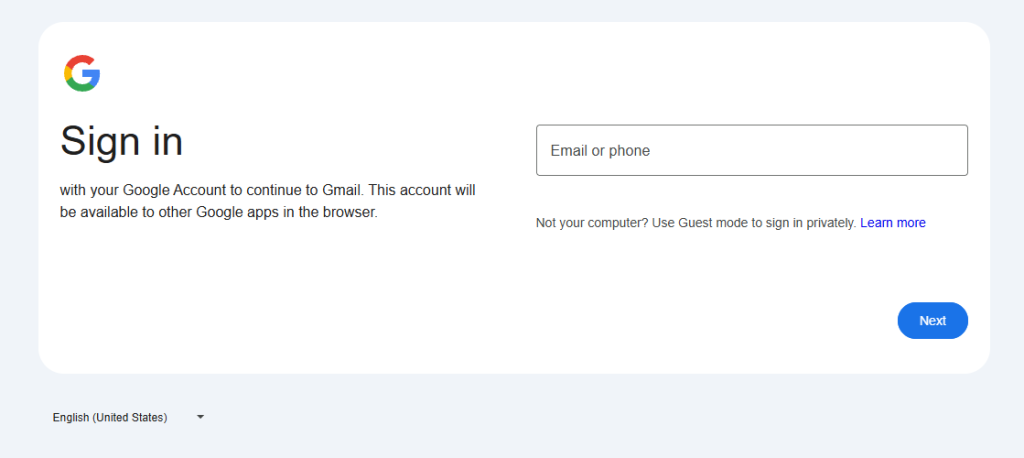
At first glance, the page looked like a normal WordPress login screen. But it wasn’t loading from the website’s own domain and that’s where everything fell apart.
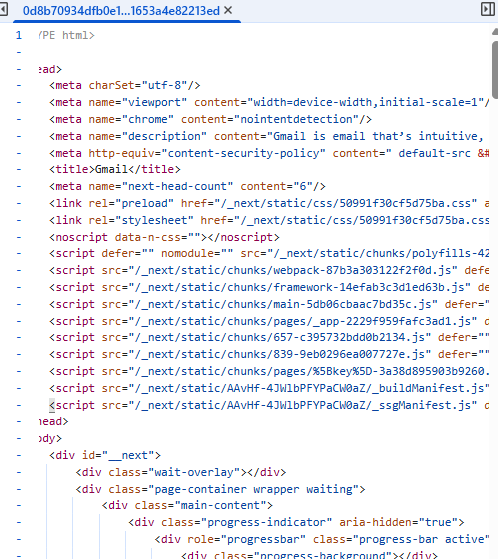
On closer inspection, the login page was pulling scripts and assets from an entirely different domain:https://matungasert.com/ a website that Google has flagged as a dangerous site.

Digging a little deeper revealed multiple red flags:
- The login page was masquerading as WordPress
- The site’s real
/wp-adminThe login still existed and worked normally - External scripts were being loaded from a known malicious domain
- The request to “send back a username” made no sense in any legitimate WordPress workflow
At that point, it was clear this wasn’t a misconfiguration or a buggy plugin.
It had all the hallmarks of a credential-harvesting phishing setup, designed to quietly capture logins while appearing completely legitimate.
What I Did Next
Instead of logging in, I:
- Stopped the conversation immediately
- Recorded a quick video showing what looked wrong
- Contacted the actual site owner via their public contact email
- Warned them that someone may be impersonating their organisation
- Called and spoke to them about the issue
Whether the site had been compromised or the domain was being abused, one thing was clear:
No legitimate client will ever ask you to log in through a custom URL and send credentials back to them.
Key Lessons for Freelancers & Agencies
If you do web, SEO, or marketing work, watch out for these signs:
If you work with WordPress, SEO, web development, or digital marketing, this is the uncomfortable truth: you are a prime target for phishing scams. Not because you’re careless but because you’re trusted with access.
Here are the key takeaways from this experience:
1. Never Log In Before Scope, Contract, or Verification
Any request to access a website before a scope of work, agreement, or payment structure is clearly defined should be treated with caution. Legitimate clients don’t need admin access granted before basics are agreed.
2. Always Verify the WordPress Login URL
A real WordPress login will be accessible via /wp-admin or /wp-login.php on the same domain.
Custom login URLs, redirects, or “temporary” login pages should be independently verified especially if external scripts are involved.
3. Watch for External Script Loading
If a login page is pulling files, scripts, or assets from another domain, stop immediately. This is a common technique used in credential-harvesting attacks and should never be part of a standard WordPress setup.
4. Google Authorisation ≠ WordPress Access
Requests to complete Google authorisation flows, or OAuth steps, as part of WordPress access are highly unusual. These workflows are often abused in phishing attempts and should be validated outside of email instructions.
5. Never Send Credentials, Usernames, or Auth Tokens
No legitimate workflow requires you to log in and then send back usernames, passwords, or generated IDs. If you’re asked to do this, assume malicious intent.
6. Trust Discomfort, Not Familiarity
This scam didn’t rely on urgency or pressure; it relied on being familiar, polite, and believable. If something feels slightly “off,” pause and verify independently.
Scammers are getting better. They’re patient, polite, and informed.
Final Thoughts
This scam did not rely on fear or urgency.
It relied on familiarity.
That same reliance on trust is why industries like healthcare require a much higher bar for digital practices — from security and compliance to how SEO and advertising are handled. We’ve explored this balance in depth in our article on how healthcare marketing agencies use SEO & ads without compromising trust.
That is what made it dangerous.
If something feels slightly off, pause.
If access is requested in an unusual way, stop.
If credentials are ever involved, verify everything independently.
I was lucky. I spotted it just in time.
Hopefully, this helps someone else do the same.
Need Help With Malware or a Hacked Website?
If you’re worried your website may have been compromised, or you’ve spotted unusual login behaviour, redirects, or external scripts loading from unknown domains, it’s important to act quickly.
We regularly help businesses clean up hacked WordPress sites, remove malware, secure admin access, and prevent future attacks.
If you need help or just want a second opinion, get in touch here:
Even if you’re not sure something is wrong, it’s always better to check.
They Tried Again — This Time Using the PUMA Brand
A few weeks later, the same pattern appeared again.
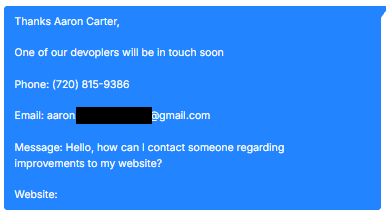
This time, the enquiry came from someone claiming to represent an organisation linked to PUMA. The message read:
“One of our developers will be in touch soon… We are currently experiencing several technical issues and malfunctions on our website… Please reply to me for full details.”
It included:
- A US phone number
- A Gmail address
- A vague description of “technical issues”
- No real scope
- No specific URLs mentioned
On the surface, it looks like a standard website support enquiry. But the structure was almost identical to the previous attempt.
The brand had changed.
The script had not.
The same workflow pattern was emerging:
- Open with a vague but believable website issue
- Suggest urgency without being aggressive
- Move the conversation toward login access
- Funnel the target to a non-standard WordPress login page
- Load external scripts from the same malicious hosting routine
The only real difference was the brand being used to create credibility.
This is an important reminder: scammers often reuse infrastructure. They rotate organisation names and email addresses, but keep the same phishing setup behind the scenes.
If you see:
- Generic Gmail addresses claiming to represent established brands
- Vague “technical issue” outreach with no detail
- Requests to log into unfamiliar admin URLs
- External assets loading from unrelated domains
Pause immediately.
The branding may change.
The malware routine often doesn’t.
