It started with a routine security check.

The site looked fine. No warnings in the browser, no defaced pages, no spam links in the footer. A visitor would have noticed nothing. The client had noticed nothing. But buried in the WordPress REST API response, in a list of technical namespaces most people never look at, was a name that had no business being there: wp-fixplugin/v1.

That one anomaly unravelled a two-component malware infection that had been live for two days. Both files were placed on the server in the same second. One had already been partially detected by a security scanner. The other had not been detected at all.

Here is exactly what we found, how it worked, and what you should check on your own site right now.

How WordPress Sites Get Hacked (It is Probably Not What You Think)

The most common thing we hear from site owners after a hack is some version of: “Why would anyone target us?”

They would not. That is the point.

The vast majority of WordPress compromises are not targeted attacks at all. Automated scanners probe millions of WordPress sites continuously, looking for known vulnerabilities in specific plugin versions. When a scanner finds a match, it does not stop to consider whether the site belongs to a multinational or a local business. It runs the exploit and moves on. The whole process takes seconds.

This is why the timestamp on the two malicious files in the incident we investigated was identical. Not the same minute, not the same hour: the same second. A human browsing a file system does not work that way. An automated deployment script does.

The entry point is almost always a plugin that has not been updated. Plugin developers issue security patches regularly, often in response to publicly disclosed vulnerabilities. Once a vulnerability is public, every site still running the old version becomes a target. The window between disclosure and exploitation is often measured in hours, not days.

Signs Your WordPress Site Has Been Hacked

The infection we found left no visible traces. But that is not always the case. Here are the most common indicators that a WordPress site has been compromised:

  • Google is showing a warning. If visitors see “This site may be hacked” or a red warning page before reaching your site, Google has already flagged it. Check Search Console for manual actions.
  • Your site redirects to somewhere else. Visitors land on a different site entirely, often a spam page or a phishing site. This is one of the most common signs of a WordPress hack.
  • Spam emails are being sent from your domain. If contacts are receiving emails you never sent, or your domain ends up on an email blacklist, your site or server may be the source.
  • You cannot log in. Your password stops working, or your account no longer exists. Attackers often change admin credentials after gaining access.
  • New admin accounts you do not recognise. Go to Users and filter by Administrator. Any account you did not create yourself needs investigating immediately.
  • Your host has suspended the account. Reputable hosts scan for malware and suspend sites that are actively attacking other servers or distributing malicious code.
  • Pages or posts you did not write. Injected spam content, often in languages you do not recognise, is a common side effect of search engine spam attacks.

The absence of these signs does not mean your site is clean. The malware we found showed none of them. Its entire purpose was to stay hidden.

What the Malware Actually Did

This infection used two files working together. Removing one without the other would have left the site still compromised.

Component One: The Remote Control Door

The first file was placed inside a folder called mu-plugins.

Most WordPress users have never heard of this folder, which is exactly why attackers use it. mu-plugins stands for “must-use plugins.” Files placed here load automatically on every page request and do not appear anywhere in the WordPress admin panel. There is no plugins list entry, no activate/deactivate toggle, no version number. The folder is functionally invisible to anyone who does not know to look for it.

The file registered three hidden REST API endpoints:

  • /wp-fixplugin/v1/update: accepts an encrypted payload along with a key and encryption parameters. In plain terms, the attacker can send an encrypted instruction from anywhere in the world and have it executed on the server.
  • /wp-fixplugin/v1/status: a heartbeat check, confirming the backdoor is still active.
  • /wp-fixplugin/v1/remove: a self-destruct, allowing the attacker to clean up their tracks on command.

This is a command-and-control backdoor. With the right key, whoever placed it there could run any code on the server, read any file, modify any database record, or pivot to other sites hosted on the same account. The Jetpack security scanner, which had run a full scan of the site that morning, did not flag this file.

Component Two: The Hidden Administrator

The second file was disguised as a plugin called “WordPress Cache Optimizer.” Cache optimisation is a legitimate, boring, entirely plausible reason for a plugin to exist. It is exactly the kind of name a site owner skims past without a second thought.

This one Jetpack did catch, with two separate threat signatures. The plugin did two things. First, it created a secret administrator account on every page load, ensuring that even if the account were deleted, it would simply be recreated the next time someone visited the site. Second, it hooked into WordPress’s own user query system to strip that account from every list, every search, and every admin screen. The user existed in the database. It simply did not appear anywhere a site owner would look.

The two components worked together: the hidden admin account provided a persistent login if the backdoor were ever removed, and the backdoor provided remote code execution if the hidden account were ever deleted. Redundant access, two different methods.

WordPress security checklist for site owners
Checking these things takes less than five minutes and requires no technical tools.

How to Check Your Own WordPress Site Right Now

These checks take less than five minutes and require no specialist tools.

  • Check the REST API namespace list. Go to yourdomain.com/wp-json/ in your browser. Look through the list of namespaces. You should be able to match every one to a plugin or theme you recognise. Anything unfamiliar is worth investigating.
  • Check your mu-plugins folder. Go to yourdomain.com/wp-content/mu-plugins/. If your server has directory listing enabled, you will see the files inside. Any file you do not recognise, particularly a large one, is a red flag.
  • Run a Jetpack scan. If you have Jetpack installed, go to Jetpack and trigger a scan. It will not catch everything, as this case demonstrates, but it covers a significant proportion of known malware signatures.
  • Check your user list carefully. In WordPress admin, go to Users and filter by Administrator. Count them. Any account you do not recognise deserves immediate attention.
  • Look at your active plugins list critically. Any plugin with a generic name you do not remember installing is worth scrutiny. “Cache Optimizer,” “Performance Booster,” and “Security Enhancer” are exactly the kinds of names attackers use.

If Your WordPress Site Has Already Been Hacked: What to Do First

Order matters here. Done wrong, a cleanup can leave a site still compromised.

  1. Do not just change passwords and hope for the best. If the attacker placed a backdoor file, changing passwords will not remove it. The file will still be there and still work.
  2. Identify and remove the malicious files first. Check mu-plugins, check your plugin folders, and run a scanner. Only then is the server actually clean.
  3. Find and delete any accounts you did not create. Once the file hiding them is removed, they should become visible in your user list.
  4. Change all passwords after the cleanup, not before. Resetting passwords while a backdoor is still active is pointless. The attacker can simply create a new account or use the backdoor to reset credentials again.
  5. Check server access logs. Your host can tell you when and how the malicious files were uploaded. This tells you which plugin or credential was the entry point, so you can close it properly.
  6. Restore from backup if in doubt. If you cannot be certain the site is clean, a known-good backup is faster and more reliable than trying to find every file an attacker may have modified.

What Good WordPress Security Actually Looks Like

None of this requires expensive tools or a dedicated security team. Most WordPress compromises are entirely preventable.

  • Keep every plugin updated. This is not optional. The gap between a vulnerability being disclosed and automated scanners exploiting it is shrinking. Plugins on old versions are open doors.
  • Fewer plugins means a smaller attack surface. Every plugin you are not actively using is a potential entry point with no benefit in return. Deactivate and delete anything you do not need.
  • Enable your firewall. Jetpack includes a Web Application Firewall that many sites have installed but never switched on. Either enable it or use an alternative like Wordfence.
  • Disable directory listing. Your server should not allow visitors to browse your file structure. Add Options -Indexes to your .htaccess file, or ask your host to disable it.
  • Have someone check the site properly once a year. A scan and a manual review of users, plugins, and the REST API namespace list takes about an hour and catches things automated tools miss.

Frequently Asked Questions

Has my WordPress site been hacked?

Common signs include: Google showing a warning to visitors, your site redirecting to another domain, new administrator accounts you do not recognise, spam being sent from your email domain, or your host suspending your account. That said, sophisticated malware often leaves none of these signs. If you are unsure, check your mu-plugins folder, your full user list, and the REST API namespace list at yourdomain.com/wp-json/.

Why does WordPress get hacked so much?

WordPress itself is not the problem. The core software is well-maintained and patched quickly when vulnerabilities are found. The issue is scale and the plugin ecosystem. WordPress powers around 43% of all websites, which makes it worth automating attacks against. And with thousands of third-party plugins, each with their own update cycles and security track records, there are a lot of potential entry points. One unpatched plugin on one site is all it takes.

Is WordPress safe from hackers?

WordPress core, kept up to date, is reasonably safe. The risk comes from plugins and themes, particularly ones that are not updated regularly or that have known vulnerabilities. A WordPress site with a small number of well-maintained plugins, a firewall active, and regular updates applied is significantly harder to compromise than one that has not been touched in eighteen months.

What should I do immediately if my WordPress site has been hacked?

Do not just change passwords and assume the problem is solved. If a backdoor file has been placed on your server, it will still be there and still function regardless of your login credentials. The priority is identifying and removing the malicious files first, then finding and deleting any accounts the attacker created, and only then resetting all passwords. If you are not confident in doing this yourself, get someone to do it properly rather than doing it halfway.

Can a hacked WordPress site be recovered without a backup?

Yes, in most cases. Malware typically adds files rather than deleting your content, so recovery usually involves finding and removing the malicious code and accounts rather than rebuilding from scratch. A backup makes the process faster and more certain, but it is not always necessary. The harder part is identifying everything the attacker left behind, which is why a professional cleanup is often worth the investment.


Think your WordPress site might be compromised?

If you found something in the checks above, or you just want a second pair of eyes on your site before something goes wrong, we can take a look. This is something we do regularly, and the earlier we look, the less there is to clean up.

Marketing the Change is a digital marketing agency based in Liverpool. We manage WordPress sites for clients across the UK, which means we occasionally find things like this. When we do, we write about it.

Josh Morley

I have been designing & marketing websites since 2013. I specialize not just in WordPress web design but also in online marketing. SEO, PPC, keyword research, link-building and most recently on lead acquisition for local businesses.

TLDR

We bought a dormant domain that ran a free web counter from 2003 to about 2018. Hundreds of live sites still fetch a JavaScript file from it on every page load. If we had been a bad actor, we could have used those requests to inject anything we wanted into their pages: skimmers, redirects, malware, credential prompts.

Instead we rebuilt the counter cleanly and seeded the starting numbers from Ahrefs backlink data. Below is why this pattern matters, how to audit your own site for third-party code you no longer trust, and where to get help if you inherit a site with dependencies you did not choose.

A few weeks ago we picked up a domain at auction. The site behind it had been offline since 2018, but the domain itself carried real backlink history: over a hundred live referring sites, a couple of them with Ahrefs domain ratings north of 90, a scatter of university faculty pages, small-business homepages, and one old public-service site in South Africa.

None of that surprised us. What did surprise us was why they were still linking. The site used to run a free web counter, a small script embed that visitors would drop into their own page HTML to display a live view count. Fifteen years later, those embeds are still on the page. They still fire on every visit. They just fetch nothing, because the endpoint has been dead for seven years.

Which means the moment we bought the domain, we controlled what those hundreds of visitor browsers loaded. That is the story.

How the counter worked, in plain English

Free web counters were everywhere in the early 2000s. You would sign up on the counter provider’s site, pick a username, and paste a snippet like this into your own site’s HTML:

<a href="https://provider.example/" rel="noopener">
  <script src="https://provider.example/pphlogger.js.php?id=jsmith"></script>
  <noscript>
    <img src="https://provider.example/pphlogger.php?id=jsmith&showme=y">
  </noscript>
</a>

Every visit to your page ran two things. It fired a request to the image URL, which incremented your counter and returned an image showing the current total. And it loaded the JavaScript file, which used document.write to inject an image tag into your page.

That second part is the interesting one. The JavaScript file executes on your visitor’s browser. It has the same permissions as the rest of your page’s code. It can write anything into the DOM. It can call any URL. It can read your visitor’s cookies for your own site if you loaded it in-page without an iframe.

Whoever owns the counter provider’s domain controls that JavaScript file. In 2003, the original operator was serving up an image tag and nothing else. In 2026, the domain was for sale.

What we could have done, if we were bad actors

We bought the domain to rebuild the tool as a modern free counter. But the same purchase could have gone very differently. Here is a short list of what a bad actor could have done from day one:

  • Credit card skimmer. On any e-commerce site that still had the counter embedded, inject a Magecart-style script into the checkout page. Read the card number, CVV, and address, ship it to a domain the attacker owns.
  • Credential harvester. On any login page or portal, add a fake password field or intercept the form submit before the browser posts.
  • SEO poison. Inject links to a spam network on every page that ran the counter, cheaply weaponising a hundred university and small-business sites into a link farm.
  • Redirect chain. If a visitor arrived from a search engine, bounce them through a click-fraud chain before the real page loaded.
  • Cryptomining. Silently run a cryptominer in the visitor’s browser while they read the page. Small cost per visit, big cost when the counter fires on hundreds of pages every day.
  • Malware dropper. Serve up an exploit kit targeting outdated browsers, or fingerprint the visitor and only attack the vulnerable ones.

None of these would have set off an alarm on the sites that embedded the counter. Their WordPress site, their Wix site, their static HTML, would look identical in the page source. The malicious code lives on our server, not theirs. Their content security policy (if they even had one) probably allowed us because we had been trusted since 2003.

This is not theoretical. It has already happened.

Dormant third-party dependencies are a common attack path. A few well-known examples:

Each time the pattern was the same. A useful, trusted, third-party script. A change of ownership. New code shipped from the same URL. Users had no idea until researchers noticed.

Why this matters especially when a company shuts down

When a service goes dark, most site owners do not remove the embed. They notice the counter is not rendering, they might tut about it, and they leave the code in the page. It costs them nothing while the domain sits dormant.

It costs them everything the moment the domain changes hands. And domains change hands quietly. The counter provider’s DNS record does not blast out a notification when the WHOIS changes. The site inheriting the embed has no built-in way to know.

So the moment you notice a service has shut down, remove the code. Then the moment you inherit a site from a former agency or a departing colleague, audit what third-party code is running on the pages you own. It is the cheapest, highest-impact security work you will do in a quarter.

How to audit your own site in 20 minutes

You do not need a security team. You need a browser and a clear afternoon.

  • Open your homepage in a fresh Chrome or Firefox window. Right-click, choose View Page Source. Search the raw HTML for <script src and <iframe. Every result is a third-party dependency you should recognise.
  • Open DevTools (F12) and go to the Network tab. Reload the page. Sort by domain. Every domain you do not recognise is a candidate for removal.
  • Search for “counter”, “widget”, “tracker”, “stats”, “hitcounter”, “webring”. These are all common names for embeds that were popular a decade or two ago and often still sit dormant.
  • Check your WordPress functions.php, footer.php, or theme options. A depressing number of themes still hard-code a legacy embed.
  • Look at your Cloudflare or Cloudflare-equivalent access logs. Look for outbound requests you do not recognise firing on every page load.

If you find something that fits the pattern (small utility, shut down years ago, embed still fires), remove the code, redeploy, and check your Content Security Policy blocks its domain going forward. Do not wait to see who buys the domain next.

What we did with the domain, since you are wondering

We rebuilt the counter. Same URLs, same query parameters, same image tag output. Every site still embedding the snippet now sees a live SVG counter again with no code change on their end.

Starting from zero would have been misleading, so we queried the Ahrefs API for every referring site, scanned the top 500 by traffic for the embed pattern, extracted the counter IDs still in the wild, and seeded each counter with the referring domain’s all-time Ahrefs traffic estimate. That is our best proxy for how many visits the counter would have accumulated if the endpoint had kept working. The seeded totals are visible on the counter itself; nothing is faked, and the source of the number is documented on the site.

We did this because it was the honest option. It is also the option that treats the small-business owner whose old about-us page still embeds the counter as someone worth respecting. Their counter did not get reset by a domain change. Their visitor traffic estimate is grounded in real data.

Where we can help

Book a third-party dependency audit

We audit your site’s third-party code, flag anything that looks dormant or unmaintained, check the ownership of every external script and iframe, and hand back a prioritised remediation list. Two hours, fixed price, no waffle.

Book an audit →

The audit is not just for old sites. If you inherited a WordPress site from another agency, run one before you make your first change. If your business changed hands, run one on the first day. If a supplier goes into administration, check whether they were serving code on your pages, and if so, block the domain the same afternoon.

The takeaway

You do not control the code you did not write. You control the code you choose to load. Every third-party script on your site is a trust decision, and trust decisions expire when the company you trusted stops existing.

If you learn one thing from this piece: the moment a service you rely on shuts down, remove the code. Do not wait for the domain to change hands. Do not assume it will stay parked. Do not trust that a security researcher will notice before an attacker does.

If you want a second pair of eyes on your site, that is what we do. And if you spot a dormant counter, tracker, or widget still fetching from a domain that should not exist any more, treat it like a fuse. Because that is exactly what it is.

Joshua Morley

TL;DR:
I was contacted by what appeared to be a legitimate non-profit client requesting WordPress support. After several normal emails, I was asked to log in via a fake WordPress login page designed to steal credentials. The scam relied on patience, trust-building, and realistic workflows, not urgency. Always verify login URLs, never send credentials, and treat unusual access requests as a red flag.

WordPress Phishing Scam

The Scam I Almost Fell For (And How to Spot It)

Even when you work in digital marketing every day, scams can still catch you off guard, especially when they’re well-written, patient, and carefully tailored to your industry.

For context, Marketing the Change has been operating for over a decade, working on hundreds of WordPress websites across a wide range of sectors. We’re trusted Jetpack partners, and a large part of our work involves security, malware cleanup, and recovering hacked WordPress sites. Spotting suspicious behaviour is genuinely part of our day-to-day wor,k which is exactly why this experience stood out.

Just before Christmas, I was contacted about some website work that, on the surface, looked completely legitimate. The emails were professional, the website looked real, and the request itself was something we deal with all the time.

It nearly worked.

Here’s what happened and what you can learn from it.

How It Started (Very Normally)

I received an email from someone introducing themselves as a marketer for a US-based non-profit organisation. They asked for help improving their website and shared:

  • A real-looking website
  • A Google Doc listing website tasks
  • A believable story about firing a previous developer for overbilling

Nothing about this felt rushed or suspicious. In fact, it felt too normal the exact type of enquiry agencies deal with every week.

image

The Trust-Building Phase

Over a few emails, the conversation stayed professional and measured:

  • Discussion about site speed and performance
  • Clarifying whether issues were UX-related or SEO-related
  • Polite, patient responses (no pressure tactics)

They even leaned into shared values, mentioning Christian ministry work, something that subtly lowers your guard if you’re not careful.

This phase is important: good scams don’t rush you.

image 2
  • Link to website
  • Fake phone number
  • Real website
  • read address
  • Real logo

Here is a snapshot of the Google Doc they sent

image 3

He even sent a video showcasing the issue that he was facing

image 4

The Red Flag Moment

Things changed when I was asked to:

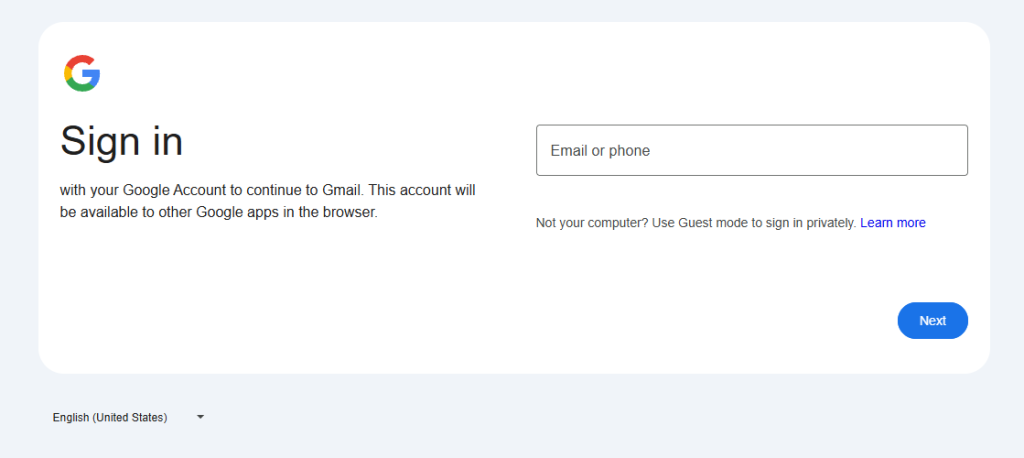
  • Log in to a WordPress site using a non-standard login URL
  • Complete a Google authorisation flow
  • Send back a generated username after logging in
image 5
image 6

At first glance, the page looked like a normal WordPress login screen. But it wasn’t loading from the website’s own domain and that’s where everything fell apart.

image 7

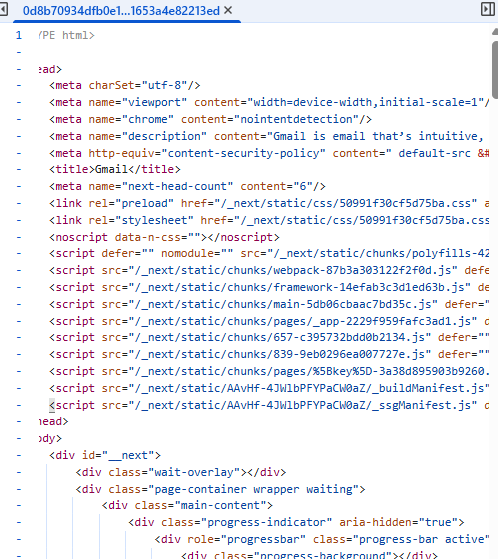
On closer inspection, the login page was pulling scripts and assets from an entirely different domain:
https://matungasert.com/ a website that Google has flagged as a dangerous site.

image 8

Digging a little deeper revealed multiple red flags:

  • The login page was masquerading as WordPress
  • The site’s real /wp-admin The login still existed and worked normally
  • External scripts were being loaded from a known malicious domain
  • The request to “send back a username” made no sense in any legitimate WordPress workflow

At that point, it was clear this wasn’t a misconfiguration or a buggy plugin.
It had all the hallmarks of a credential-harvesting phishing setup, designed to quietly capture logins while appearing completely legitimate.

What I Did Next

Instead of logging in, I:

  1. Stopped the conversation immediately
  2. Recorded a quick video showing what looked wrong
  3. Contacted the actual site owner via their public contact email
  4. Warned them that someone may be impersonating their organisation
  5. Called and spoke to them about the issue

Whether the site had been compromised or the domain was being abused, one thing was clear:
No legitimate client will ever ask you to log in through a custom URL and send credentials back to them.

Key Lessons for Freelancers & Agencies

If you do web, SEO, or marketing work, watch out for these signs:

If you work with WordPress, SEO, web development, or digital marketing, this is the uncomfortable truth: you are a prime target for phishing scams. Not because you’re careless but because you’re trusted with access.

Here are the key takeaways from this experience:

1. Never Log In Before Scope, Contract, or Verification

Any request to access a website before a scope of work, agreement, or payment structure is clearly defined should be treated with caution. Legitimate clients don’t need admin access granted before basics are agreed.

2. Always Verify the WordPress Login URL

A real WordPress login will be accessible via /wp-admin or /wp-login.php on the same domain.
Custom login URLs, redirects, or “temporary” login pages should be independently verified especially if external scripts are involved.

3. Watch for External Script Loading

If a login page is pulling files, scripts, or assets from another domain, stop immediately. This is a common technique used in credential-harvesting attacks and should never be part of a standard WordPress setup.

4. Google Authorisation ≠ WordPress Access

Requests to complete Google authorisation flows, or OAuth steps, as part of WordPress access are highly unusual. These workflows are often abused in phishing attempts and should be validated outside of email instructions.

5. Never Send Credentials, Usernames, or Auth Tokens

No legitimate workflow requires you to log in and then send back usernames, passwords, or generated IDs. If you’re asked to do this, assume malicious intent.

6. Trust Discomfort, Not Familiarity

This scam didn’t rely on urgency or pressure; it relied on being familiar, polite, and believable. If something feels slightly “off,” pause and verify independently.

Scammers are getting better. They’re patient, polite, and informed.

Final Thoughts

This scam did not rely on fear or urgency.
It relied on familiarity.

That same reliance on trust is why industries like healthcare require a much higher bar for digital practices — from security and compliance to how SEO and advertising are handled. We’ve explored this balance in depth in our article on how healthcare marketing agencies use SEO & ads without compromising trust.

That is what made it dangerous.

If something feels slightly off, pause.
If access is requested in an unusual way, stop.
If credentials are ever involved, verify everything independently.

I was lucky. I spotted it just in time.

Hopefully, this helps someone else do the same.

Need Help With Malware or a Hacked Website?
If you’re worried your website may have been compromised, or you’ve spotted unusual login behaviour, redirects, or external scripts loading from unknown domains, it’s important to act quickly.

We regularly help businesses clean up hacked WordPress sites, remove malware, secure admin access, and prevent future attacks.

If you need help or just want a second opinion, get in touch here:

Even if you’re not sure something is wrong, it’s always better to check.

They Tried Again — This Time Using the PUMA Brand

A few weeks later, the same pattern appeared again.

This time, the enquiry came from someone claiming to represent an organisation linked to PUMA. The message read:

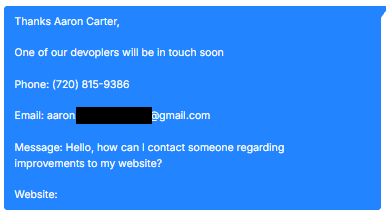
“One of our developers will be in touch soon… We are currently experiencing several technical issues and malfunctions on our website… Please reply to me for full details.”

It included:

  • A US phone number
  • A Gmail address
  • A vague description of “technical issues”
  • No real scope
  • No specific URLs mentioned

On the surface, it looks like a standard website support enquiry. But the structure was almost identical to the previous attempt.

The brand had changed.
The script had not.

The same workflow pattern was emerging:

  1. Open with a vague but believable website issue
  2. Suggest urgency without being aggressive
  3. Move the conversation toward login access
  4. Funnel the target to a non-standard WordPress login page
  5. Load external scripts from the same malicious hosting routine

The only real difference was the brand being used to create credibility.

This is an important reminder: scammers often reuse infrastructure. They rotate organisation names and email addresses, but keep the same phishing setup behind the scenes.

If you see:

  • Generic Gmail addresses claiming to represent established brands
  • Vague “technical issue” outreach with no detail
  • Requests to log into unfamiliar admin URLs
  • External assets loading from unrelated domains

Pause immediately.

The branding may change.
The malware routine often doesn’t.

Josh Morley

I have been designing & marketing websites since 2013. I specialize not just in WordPress web design but also in online marketing. SEO, PPC, keyword research, link-building and most recently on lead acquisition for local businesses.